September 9, 2026
Can You Fax from a Cell Phone? 2026 Guide
Yes, you can fax from a cell phone, and the phone only captures the document while a cloud or gateway service performs the actual transmission. You don't need a fax machine, landline, or special mobile fax plan to send a document.
You might be between meetings with a signed contract in your hand, waiting for a medical office to receive a form, or facing a filing deadline with only your smartphone available. The process feels strange at first because a phone doesn't create the familiar fax tones by itself. Instead, it works as a camera, file reader, and control panel while an online service connects your document to the recipient's fax system.
That distinction answers most of the confusion around can you fax from a cell phone. You can, but you're using a mobile fax workflow rather than turning the handset into a traditional fax machine. This guide explains what happens behind the screen, which method creates the least friction, and how to preserve delivery evidence for tax, legal, and administrative submissions.
Why You Can Fax From a Cell Phone in 2026
The short answer is yes. A modern smartphone can capture a paper page, import a digital file, and submit it through an online fax service. The handset doesn't need a physical fax port because the service handles the connection to the older fax network.
Fax is still embedded in institutional work. A 2024 ACM report cited estimates that more than 17 billion fax documents were sent globally in 2019, while the U.S. healthcare sector alone accounted for over 9 billion pages in that estimate. Those figures come from the report and industry context summarized by TechRounder. The point isn't that every office still depends on a fax machine. It's that many organizations still expect fax as part of an established intake process.
Japan's national survey shows the interface is changing. In 2025, 37.9% of people reported still using fax for work, down 11.8 percentage points from 2020, while 11.9% reported using computers, tablets, or smartphones for fax-related use, up from 7.4%. The Communications and Information Network Association of Japan survey illustrates the practical shift from dedicated equipment to devices people already carry.
Practical rule: Your phone replaces the scanner and office control panel. It doesn't replace the fax network itself.
This matters if you occasionally send a signed form but don't own hardware. It also matters if you're trying to recover a document from a damaged or inaccessible handset, because a phone data recovery Perth resource can help explain how mobile files may be retrieved before you upload them. Once the page is available as a clear photo or PDF, the online gateway takes over.
How a Phone Turns Into a Fax Machine
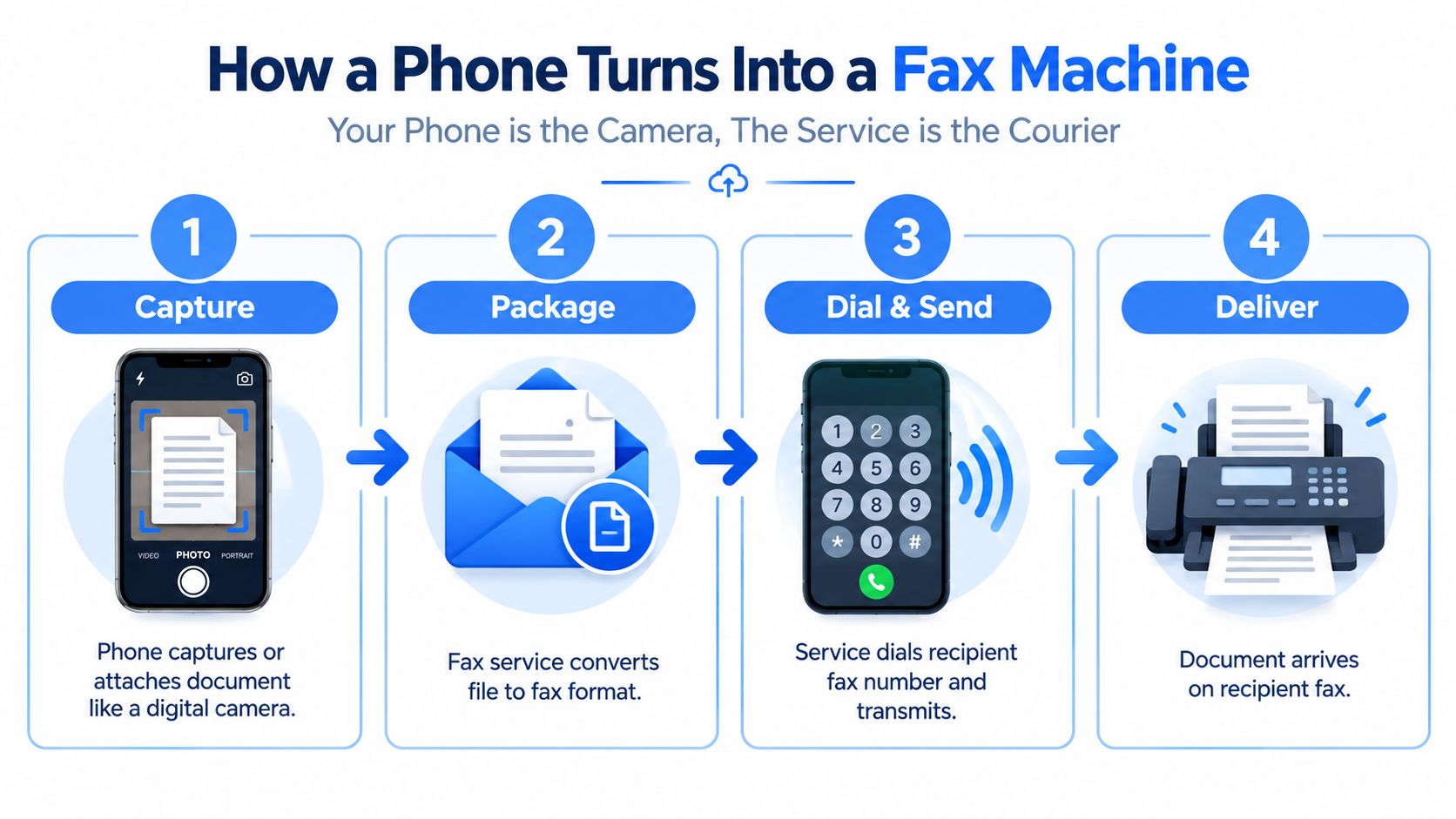
Think of the phone as a digital camera and the fax service as a courier. The camera creates a readable document, while the courier packages it, addresses it, transports it, and returns a delivery update.
The workflow usually follows four stages:
- Capture or upload: Photograph the paper, or select a PDF, JPG, PNG, or TIFF already stored on the phone. Some services also accept other mobile-friendly image formats.
- Package the document: The online service processes the file into pages suitable for fax transmission. Fax systems have traditionally relied on formats such as TIFF because they preserve the simple, page-based appearance fax machines expect.
- Dial and send: The gateway enters the destination number and sends the pages through a fax-compatible connection. Your phone only needs Wi-Fi or cellular data to reach the service.
- Report delivery: The service records transmission progress and shows whether the receiving machine acknowledged the pages.
Why the phone doesn't need a fax tone
Traditional fax communication depends on timing-sensitive signaling. The T.30 protocol was designed for conventional fax connections and doesn't tolerate network jitter or packet loss well. A direct phone-to-fax call over an ordinary mobile data connection would therefore be unreliable.
A gateway solves that problem by preserving the necessary signaling or converting the transmission into a fax-over-IP path such as T.38. Research on fax over cellular also notes that GSM and UMTS systems treated facsimile as a special teleservice, rather than ordinary voice or data traffic. The fax-over-cellular technical overview explains why provider infrastructure matters more than the specific iPhone or Android model you use.
The recipient still sees a conventional fax because the gateway converts your digital payload into fax-compatible pages before transmission. Your connection can be wireless, but the final delivery follows the recipient's fax workflow. A plain-language explanation of online fax architecture can help if you want to understand the service layer without diving into telecom engineering.
Three Mobile Fax Methods Compared
You have three practical ways to send a fax from a phone. The right choice depends less on whether your handset is an iPhone or Android device and more on how often you fax, whether you want a reusable account, and how much setup you can tolerate.
A dedicated mobile fax app is designed for recurring use. Examples include eFax, Fax.Plus, and MyFax. You install the application, upload or scan documents, and usually manage credits, a subscription, or a dedicated fax number inside the service. This approach suits a small business or office worker who sends documents regularly and wants contact history in one place.
Email-to-fax uses the mail application already installed on your phone. You attach a document and address the message in the provider's required format, often combining the destination number with a provider domain. It avoids a new app, but you must understand the provider's formatting rules and send from an approved email address.
A browser-based fax service opens in Safari or Chrome. There's no installation step, which makes it useful for a single form, a locked-down work phone, or an older adult who doesn't want another app. Some browser services use accountless, per-page checkout, while others require registration.
Mobile Fax Method Comparison
| Method | Setup Effort | Cost Model | Best For | Offline Capable |
|---|---|---|---|---|
| Dedicated app | Install, register, and configure | Subscription, credits, or bundled pages | Frequent senders who need history and a recurring number | No |
| Email-to-fax | Configure provider email rules | Provider-specific per-page or account pricing | Occasional users who already work in Gmail or Outlook | No |
| Browser-based service | Open Safari or Chrome and upload | Often per-page, with no ongoing subscription | One-time senders and no-install workflows | No |
None of these methods sends while offline. The phone must upload the document and receive status information, so wait for a stable Wi-Fi or cellular connection before submitting anything time-sensitive. For a first-time user, browser faxing often has the fewest decisions, while an app becomes more useful as fax volume and record-keeping needs grow.
A Practical Walkthrough With PerPageFax
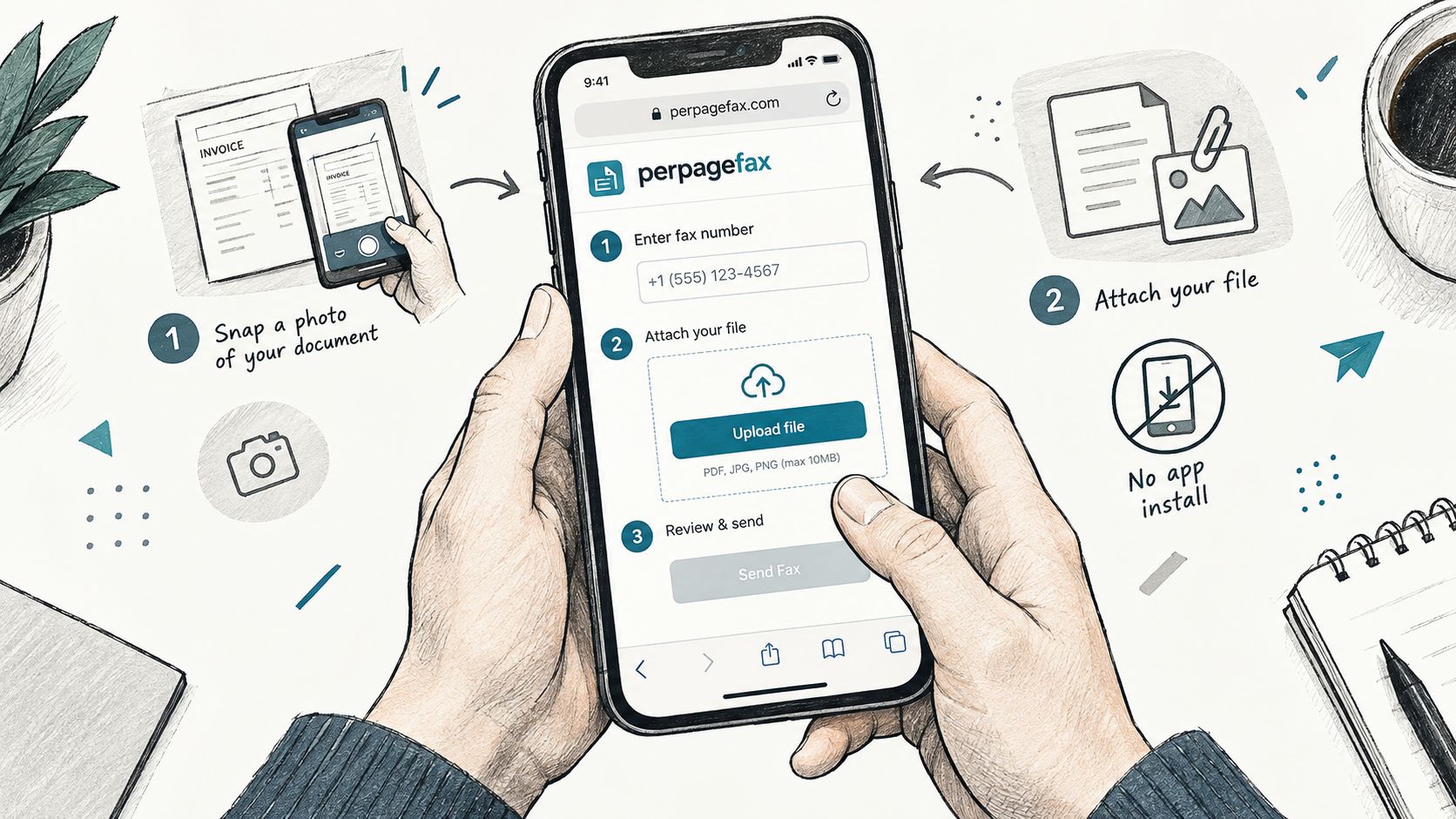
Start by opening Safari or Chrome on your phone. A browser workflow avoids an installation step, and PerPageFax supports mobile camera uploads and common document files, including PDF, JPG, PNG, HEIC, and TIFF.
Send a clear page
Choose the camera option to photograph a paper document, or upload an existing file. Keep the phone parallel to the page, use even lighting, and capture each page separately when possible. PerPageFax accepts up to 20 MB total per fax and a maximum of 100 pages, according to the publisher's service information.
A one-page-at-a-time approach prevents a common problem: a folded corner, hand shadow, or cropped edge affecting several pages in a single distorted image. Before uploading, inspect the preview, crop away the desk or surrounding floor, and confirm that signatures, dates, account numbers, and checkboxes remain legible.
The cover page fields let you enter the recipient's name, destination fax number, and sender name. An optional email return receipt can provide another notification channel, but the on-screen status record remains important because it shows the transmission's progress.
Before tapping send: Confirm the country code or dialing format, compare the number with the recipient's instructions, and open every page preview.
Follow the transmission
After submission, the service creates a live status page tied to that fax. You can bookmark or share the unique page while the gateway attempts delivery. If the receiving line is busy or a transmission fails, automatic retries can occur without requiring you to resubmit the entire document.
The confirmation report appears when the remote machine acknowledges the page. Save the status page, download or print the confirmation when available, and keep it with the original document if the fax relates to a deadline.
This short video gives a visual look at the browser-based process:
If the image looks dark, retake it rather than relying on the recipient to interpret it. Hold the handset flat over the page, move your hand away from the text, turn on better lighting, and crop before upload. A clean source image gives the gateway a much better chance of producing a readable fax.
Mobile Fax for IRS and Legal Use Cases
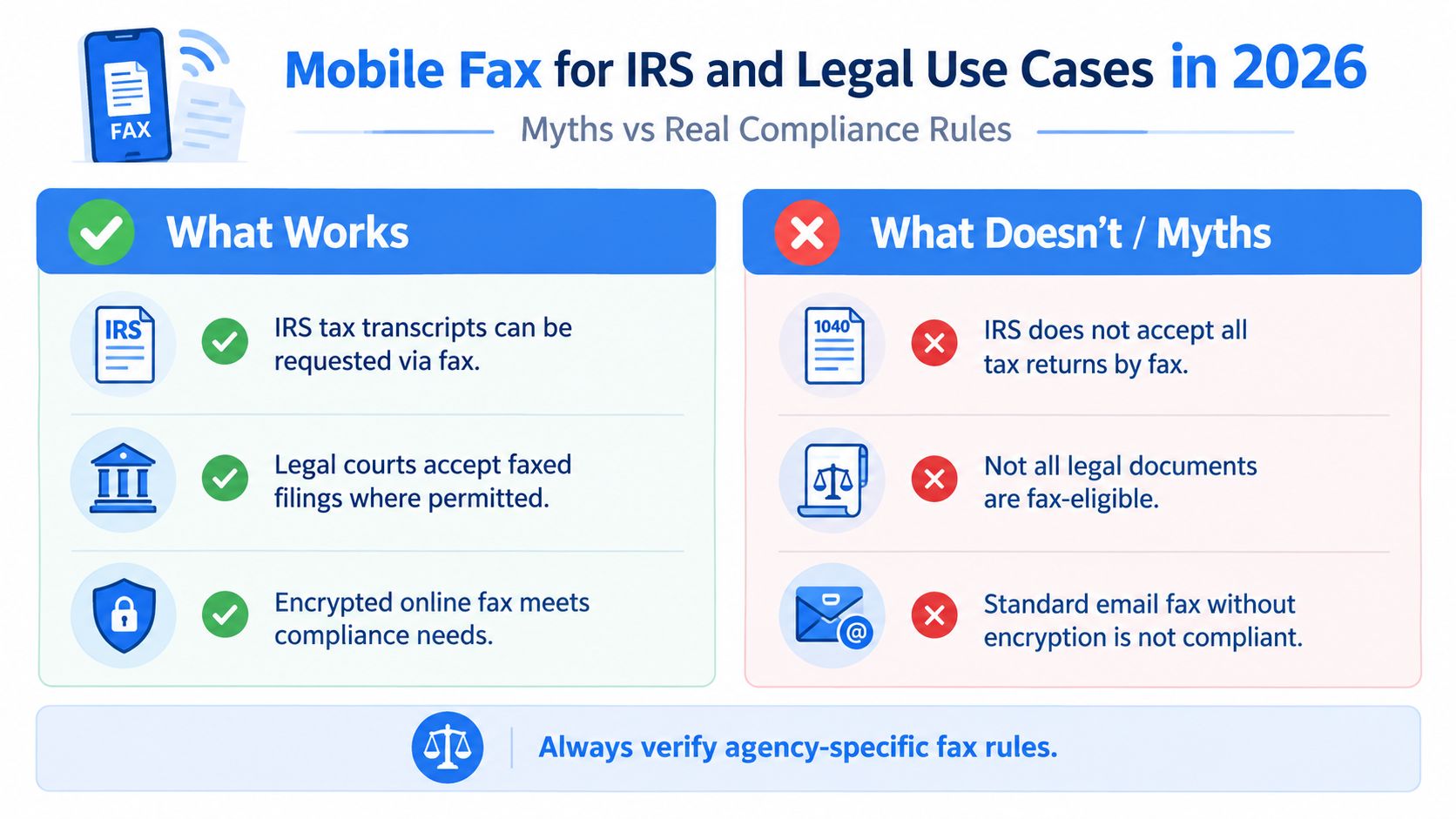
A successful transmission isn't automatically proof that an agency accepted the underlying document. For regulated work, separate delivery evidence from substantive acceptance. The status page can show that the receiving fax device acknowledged pages, but you still need to follow the specific agency, court, or recipient instructions.
The IRS provides an important limitation. Its guidance explicitly warns that it's not permissible to fax a transcript to a mobile device, such as a smartphone, using a fax app. The IRS redacted review document is the controlling source for that concrete warning. In other words, faxing from your phone to an authorized institutional fax number isn't the same as directing protected tax information to your own handset.
What a defensible record should contain
For an IRS form, legal notice, or administrative submission, retain:
- The final document: Keep the exact file or photographed pages that you sent.
- Recipient details: Record the fax number, office name, and any required cover-page information.
- Timing evidence: Save the submission time and the final delivery status.
- Confirmation material: Keep the receipt, status-page capture, or report showing the receiving device's response.
- Instructions: Store the agency or court page that specified fax as an accepted channel.
A guide to faxing forms to the IRS from a phone describes uploading a PDF or photo from an iPhone or Android device and receiving an automatic delivery confirmation after transmission. Treat that confirmation as evidence of transmission, not as a promise that an IRS employee reviewed or approved the submission.
For legal work, rules vary by jurisdiction and filing type. A court may accept faxed filings in one context and require e-filing or paper in another. A paralegal, attorney, or virtual legal assistant can help verify the recipient's procedure before you rely on a mobile fax for a deadline. The fax-to-IRS guidance can also serve as a practical checklist, but agency-specific instructions take priority.
Compliance habit: Print or save the confirmation alongside the original document, then verify the recipient's rules before sending sensitive material.
Mobile faxing offers speed, a record, and no physical machine. Its weaknesses are equally practical. A weak signal can interrupt an upload, a poor camera image can make a page unreadable, and large legal exhibits may exceed the recipient's limits or create a cumbersome review. Use a test transmission when the deadline allows, and call the receiving office if the filing has serious consequences.
Choosing the Right Workflow for Your Situation
Match the method to your faxing pattern instead of choosing based on the most recognizable brand. A person sending a single signed contract has a different problem from a real estate agent who sends documents every week.
| User Type | Recommended Method | Why It Fits |
|---|---|---|
| One-time sender | Browser-based fax | No installation or recurring subscription is needed, and the sender can upload a photo or PDF directly from the phone |
| Occasional sender | Email-to-fax | The workflow stays inside an existing Gmail or Outlook inbox, which helps when faxes are infrequent |
| Frequent sender | Dedicated mobile fax app | A reusable number, contact history, saved workflows, and recurring account features support regular sending |
For a one-off medical form or signed agreement, open a browser-based service and focus on document quality and confirmation storage. For a handful of faxes across a year, email-to-fax may feel more familiar, but check the provider's required number format and attachment rules before sending.
Frequent senders should consider the administrative value of an app. A contact book, transmission history, and repeatable cover-page process can outweigh the extra setup. An app also makes sense when several people in a small office need a consistent workflow.
Before choosing, ask three questions:
- Is the connection reliable? Don't start a deadline-sensitive fax from a basement or moving vehicle with an unstable signal.
- Is the document sensitive? Check how the provider handles uploads, receipts, stored contacts, and access links.
- Does the recipient require a format? Some offices specify a cover sheet, destination number, page order, or separate submission process.
The simple rule is this: send once through a browser, send occasionally through email, and send frequently through a dedicated app. Whatever you choose, preserve the delivery record.
Key Takeaways and Next Steps
Your phone is best understood as a scanner and upload device, not as a miniature analog fax machine. It captures a page or selects a file, while a cloud gateway handles the fax-compatible transmission and returns the delivery status.
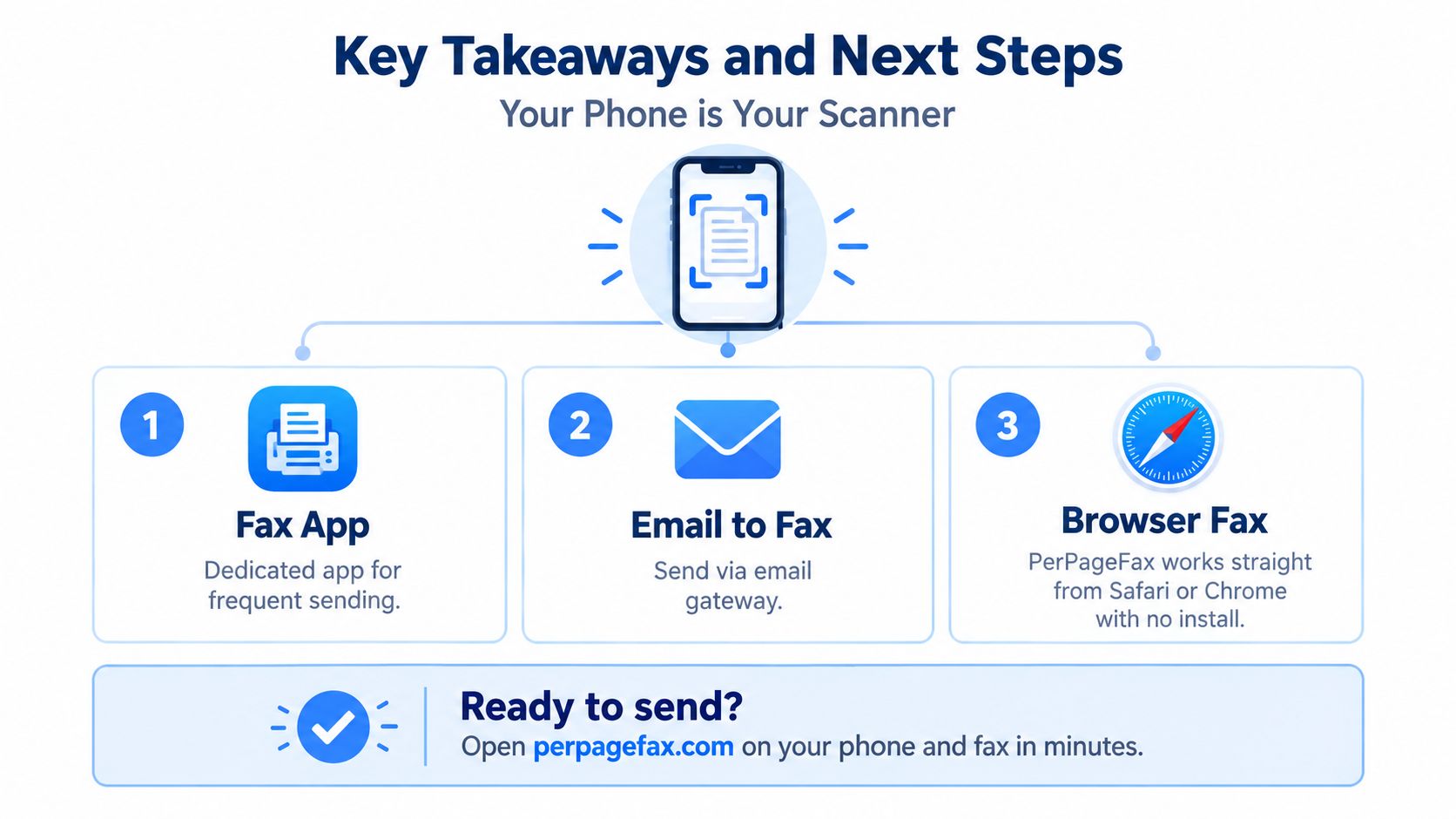
The three main paths are straightforward:
- Fax app: Suitable for frequent sending, saved contacts, and ongoing history.
- Email-to-fax: Convenient when you already work from a mobile inbox.
- Browser fax: Useful for a one-time send, a locked-down phone, or anyone who doesn't want to install an app.
PerPageFax works from Safari or Chrome without requiring an installed application, so you can test the workflow directly from a phone browser. The important habit isn't merely tapping send. Preview every page, verify the destination, and save the confirmation before you close the status page.
If the fax is time-sensitive, send a test document first when the recipient permits it. Then use the same phone position, lighting, file check, and record-saving routine for the submission.
PerPageFax lets you upload a PDF or phone photo through your browser, send it without installing an app or creating a subscription, and follow delivery through a live status page. Visit PerPageFax to test a browser-based fax workflow with a non-sensitive document before your next deadline.
Ready to send a fax?
Send your fax online in minutes for $0.50/page — no account needed.
Send a fax now